Introducing the Demodesk Recorder: Phone Calls and Customer Visits, On Record
The Demodesk Recorder snaps onto your phone, records both sides of a call or an in-person meeting, and sends it to Demodesk for CRM updates. Join the waitlist.

TL;DR
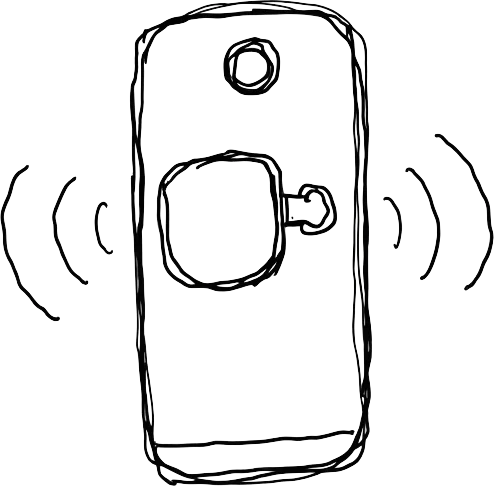
The Demodesk Recorder is a small magnetic device for the sales conversations your laptop never hears: calls on your mobile phone, with both sides recorded, and meetings across the table. It snaps onto the back of an iPhone or Android phone, records offline, and uploads through the Demodesk mobile app. Demodesk then handles it like any other call, with a transcript, summary, next steps, CRM update, and coaching. The recorder is coming soon as a one-off purchase. We're aiming for around EUR 59, though that price isn't final. Join the waitlist for early access.
Why we built a recorder you can hold
Demodesk already records sales conversations on most channels. The Notetaker joins Teams, Google Meet, and Zoom. Dialer integrations cover Aircall, CloudCall, Zoom Phone, RingCentral, Outreach, and Salesloft. The desktop app captures VOIP calls on your computer, and the mobile app records in-person meetings.
One conversation kept getting away: the call a rep takes on their own phone. A customer calls back while you're driving to the next visit. A champion rings to say procurement has one more question. Those calls carry the next step and the buying signal, and until now they ended up in a rep's memory, not in the CRM.
Customers have asked us for this directly. In an October check-in, one customer told us their reps make a lot of calls from their phones and want those calls on record as well.
Software alone can't solve it on iPhone. iOS privacy restrictions stop apps, the Demodesk app included, from recording phone calls. A device on the phone can. Attached to the back, the recorder captures your voice and the person on the other end, so the whole conversation reaches Demodesk.
What the Demodesk Recorder does
| Situation | How you use it | What ends up in Demodesk |
|---|---|---|
| A call on your mobile | Keep the recorder on the back of your phone and take the call | Both sides of the conversation |
| A customer visit or team session | Take it off, set it on the table, press record | The full meeting, with your phone free |
| The walk back from a meeting | Record a quick voice note | Your debrief, turned into a next action |
| No signal, no Wi-Fi | Keep recording. It stores days of recordings on the device | Everything, uploaded once you're back online |
It's slim enough to lie flat against your phone, and the magnet lets you take it off in a second. It works with any phone, iPhone or Android.
From the car to the CRM
You do the talking, and Demodesk handles the follow-through.
- Record. Take the call with the recorder attached, or put it on the table for an in-person meeting.
- Connect and upload. Open the Demodesk mobile app and connect the recorder. Your recordings upload from there.
- Let Demodesk take over. You get a transcript, a summary, and next steps. Depending on your plan and setup, AI CRM Concierge suggests the CRM update for you to approve, AI Coach scores the call against your scorecard, and AI Assistant drafts the follow-up email.
A call taken on the road ends up in the same company-wide record as your Zoom demos and dialer calls. Search, coaching dashboards, and CRM sync work the same way for all of them. That is the reason to record every channel. If a conversation never reaches the record, your forecast, your coaching, and your CRM never learn about it. Our guide to the AI meeting assistant for sales explains how that record turns into CRM updates and coaching.
Who the recorder is for
The recorder is built for field sales reps who spend more of the week at customer sites and in the car than at a desk, and for account managers whose best customers call their mobile. Their managers get to coach on more than the calls that happen on Zoom.
If every customer conversation on your team already runs through Teams, Meet, Zoom, or a dialer, you don't need it. The Notetaker and the dialer integrations already cover those calls.
Recorder, mobile app, or desktop app?
| Conversation | Best way to record it in Demodesk |
|---|---|
| Video meetings on Teams, Meet, or Zoom | Notetaker |
| Calls through Aircall, CloudCall, Zoom Phone, RingCentral, Outreach, or Salesloft | Dialer integration |
| VOIP calls on your computer without a native integration | Desktop app |
| In-person meetings, recorded from your phone | Mobile app |
| Calls on your mobile phone, both sides | Demodesk Recorder |
| In-person meetings without using your phone, or with no connection | Demodesk Recorder |
Pricing and availability
The Demodesk Recorder is coming soon. It's a physical device, so it's a one-off purchase alongside your Demodesk subscription. We're working towards a price of around EUR 59. That isn't final and may still change before orders open.
There is no separate recorder plan. Once the device is yours, it works with your active subscription and whatever that plan already includes. You need a Demodesk account to upload recordings and use AI summaries, CRM sync, and coaching. You don't need one to join the waitlist, and we'll share device pricing and plan details before orders open.
Recording consent
A phone call has another person on it. Tell them you're recording, and follow your company's consent policy and local law. Once uploaded, recordings from the device sit with the rest of your Demodesk recordings: EU-only data centers in Azure Frankfurt, ISO 27001:2022 certification, and the retention rules your admin has set.
Join the waitlist
Waitlist members hear first when orders open and are among the first to get the device. Join the Demodesk Recorder waitlist. It takes one email address.