Meeting Type Customization: Match Call Structure to Deal Stage
Different deal stages need different call structures. Here’s how to configure meeting types, scorecards, and AI coaching so every call runs on the right playbook.

What is meeting type customization?
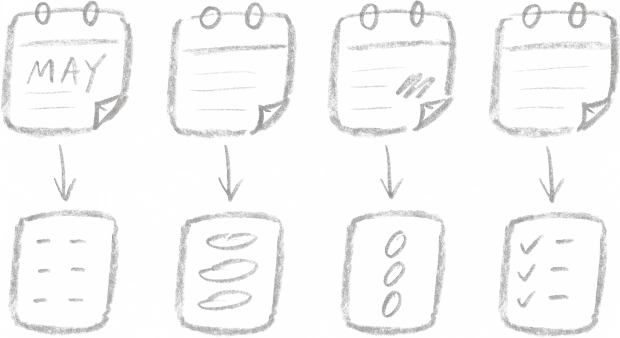
Meeting type customization means defining a distinct call structure, scorecard, and follow-up template for each stage of your sales cycle — discovery, demo, technical validation, negotiation, closing, handover — so every call runs on the playbook that fits where the deal is. The rep sees a different agenda and prep brief. The AI scores against a different rubric. The CRM gets different fields updated.
One generic “sales call” scorecard applied to every meeting is the single biggest reason AI coaching gets abandoned after month three. Reps get coached on “quantify pain” during a renewal call. Managers chase ghost deal risks. Fix it by splitting your meeting types, assigning a scorecard per type, and letting the AI route each call to the right rubric automatically.
Why one call structure doesn’t fit every deal stage
Most sales teams run their pipeline on one implicit script: open, discover, pitch, handle objections, close. It worked when a rep did four calls a day and remembered which deal was which. It breaks the moment you add AI coaching, because the AI needs to know what kind of call it just scored.
A discovery call where the rep didn’t quantify pain is a coaching moment. A renewal call where the rep didn’t quantify pain is a well-run conversation about a different thing. Score them with the same rubric and you get two bad outcomes: the rep ignores the feedback because it’s wrong, and the manager stops trusting the dashboard because the signal is noise.
Research on B2B sales calls consistently separates the cycle into five to seven distinct call types, each with its own objectives. Pipedrive’s B2B process guide names qualification, discovery, demo, proposal, and close as structurally different stages — different questions, different decision criteria, different success metrics. Your coaching rubric should reflect that.
The six meeting types most B2B teams actually need
Start here. Add types only when you can name a scorecard criterion that would be different.
| Meeting type | Primary objective | Scorecard focus | Typical length |
|---|---|---|---|
| Discovery | Qualify pain, budget, authority, timeline | BANT or MEDDIC qualification criteria, question-to-pitch ratio, next-step confirmation | 30 min |
| Demo / solution | Map features to the pain uncovered in discovery | Customization to prospect’s use case, time spent on their problem vs. generic walkthrough, multi-threading | 45 min |
| Technical validation | Answer buyer-side technical/security questions | Technical accuracy, scope confirmation, integration clarity, who else needs to be in the room | 30–60 min |
| Negotiation / proposal | Walk through pricing, terms, procurement path | Value anchoring before price, objection handling, commercial close language | 30 min |
| Closing | Confirm signature path, remove last blockers | Mutual action plan reference, procurement contact confirmed, go-live date set | 15–30 min |
| Handover to CS | Transfer context to Customer Success without reselling | Account context completeness, success criteria capture, intro to CSM made | 30 min |
Teams running a product-led motion often add a seventh — an onboarding/activation call scored against time-to-first-value milestones. Teams in regulated industries add a compliance/legal review type.
The rule: if the AI should score it differently, it’s a different meeting type. If it would score it the same, don’t split it.
How to configure meeting types in Demodesk
Demodesk’s AI Coach scores every call against a custom scorecard the moment the call ends. Meeting type customization is where you tell the system which scorecard to run against which call.
Step 1: Create your meeting types. In Agents → Scorecards, create one scorecard per meeting type above. Start with the pre-built MEDDIC, BANT, Challenger, or SPIN templates and edit the criteria — don’t build from scratch.
Step 2: Define the scoring criteria per type. For discovery, you might score on: pain quantified (0–3), budget range confirmed (yes/no), decision process mapped (yes/no), next step booked (yes/no). For a demo, score on: features mapped to specific pains from discovery (0–3), customer-specific examples used (count), multi-threading — new stakeholders present (yes/no), demo length vs. plan (variance in minutes). Each scorecard is a different question set.
Step 3: Use meeting tags for routing. Demodesk’s smart categorization auto-tags calls based on calendar invite titles, attendees, and deal stage. Reps can also tag manually before the call. The AI then applies the matching scorecard automatically — no setup per call.
Step 4: Map each type to a CRM update. AI CRM Concierge can be configured so a discovery call updates the Qualification stage fields — budget, authority, pain — while a negotiation call updates the Commercial fields: quoted price, redlines received, procurement contact. Reps approve before anything syncs.
Step 5: Set follow-up templates per type. The AI Assistant drafts follow-up emails based on meeting type. A discovery follow-up includes the mutual action plan and prep for the demo. A negotiation follow-up includes the proposal summary and signature path. Reps edit and send — no copy-paste from a Google Doc.
This is what built for the rep, not the dashboard looks like in practice: the rep opens the call with the right agenda, gets scored on the right criteria, and sends the right follow-up — without touching scorecard configuration.
Common mistakes when rolling this out
Too many types. Fourteen meeting types means reps tag everything “discovery” because tagging becomes friction. Start with four to six. Add more only when the data shows two call types scoring identically on different rubrics.
Scorecard criteria that aren’t observable. “Rep built rapport” is not a scorecard criterion. “Rep used the prospect’s name two or more times in the first five minutes” is. The AI scores what it can see in the transcript. Write criteria the way you’d write a legal spec.
No manager calibration. Spend one hour in week two of rollout where the manager and two or three reps score the same call independently, then compare. Your rubric is only as useful as your team’s agreement on what a 2 versus a 3 looks like.
Scoring every call to the same depth. A 15-minute closing call doesn’t need the same 12-criterion rubric as a 45-minute discovery call. Shorter scorecards for shorter calls. Reps will read them.
Ignoring HubSpot phone call contamination. If your dialer logs every outbound call attempt — including 30-second voicemails — those get scored too and tank your averages. Configure a minimum call length filter before AI scoring kicks in. Three minutes works for most teams.
What good looks like after 90 days
Teams that get meeting type customization right see three measurable shifts.
The review starts from the scorecard for that meeting type. A discovery call is no longer marked down on a demo rubric, and a cold call is no longer marked down on a discovery rubric.
Pipeline hygiene improves without CRM nagging. Because AI CRM Concierge knows which stage a call is for, the right fields get updated. Deal stage transitions reflect what was said on the call, not what the rep remembers to log on Friday.
Coaching conversations get specific. Instead of “work on discovery,” managers say: “On your last three discovery calls, you quantified pain in call one, not in two or three. Let’s listen to the opens together.” Specific is coachable. Generic isn’t.
One German media company running roughly 20 new business calls per rep per week uses meeting type routing as the only way to track what’s happening across that volume. Without it, by Friday no one remembers which call was which.