Demodesk Chrome Extension (Coaching & AI)
Updated February 27, 2026
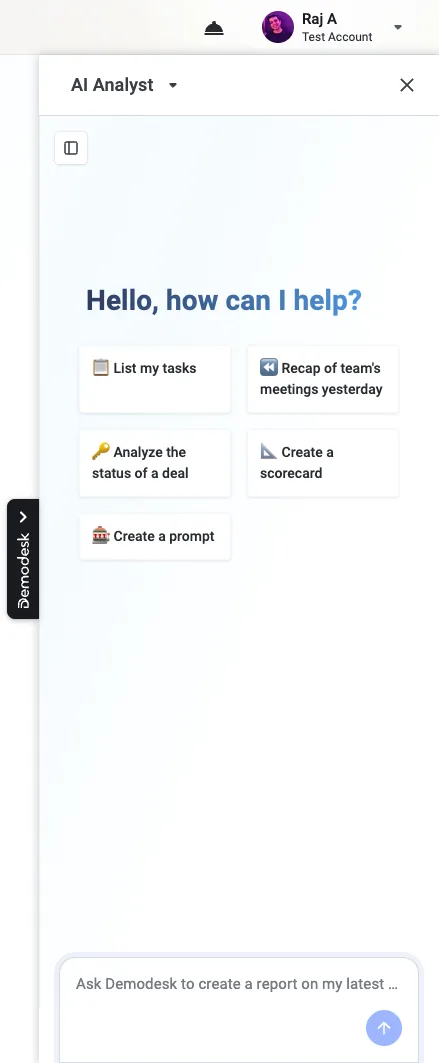
The Demodesk Chrome Extension gives you direct access to the AI Analyst. Your intelligent assistant for meeting prep, deal analysis, follow-ups, and more, right from any tab in your browser.
Installation
Install the extension from the Chrome Web Store here.
After installing:
- Click the puzzle icon in your browser toolbar
- Click the pin icon next to Demodesk to pin it to your top bar
- Click the Demodesk icon anytime to open the extension
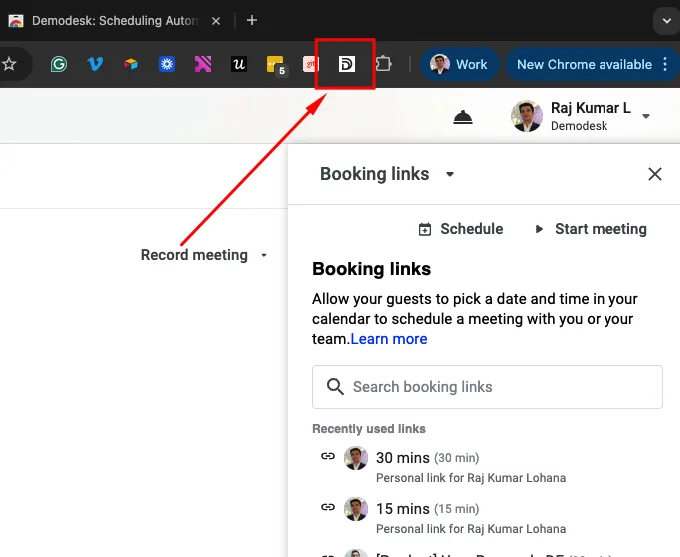
Opening the AI Analyst
Once you open the extension, you will land directly on the AI Analyst view.
Why use it via the Chrome Extension?
- Use it during a live meeting in your browser — the extension sits on top of any tab, so you never need to switch away
- Available on any webpage — pull up insights, draft a follow-up email, or review a deal without opening Demodesk separately
For more help, contact support@demodesk.com
Related articles
More in this category
Still need a hand?
Our support team answers in the app chat, or at support@demodesk.com.