Custom Summaries and so much more!
Create custom summaries for your use case, control recording visibility, better AI Coach and routing improvements.
Highlights
- ✨ Introducing Summaries
- 🔓 Control who sees your meetings
- 🤖 Better sales coaching with AI Coach
- 🗓️ Routing & booking page improvements
✨ Introducing Summaries
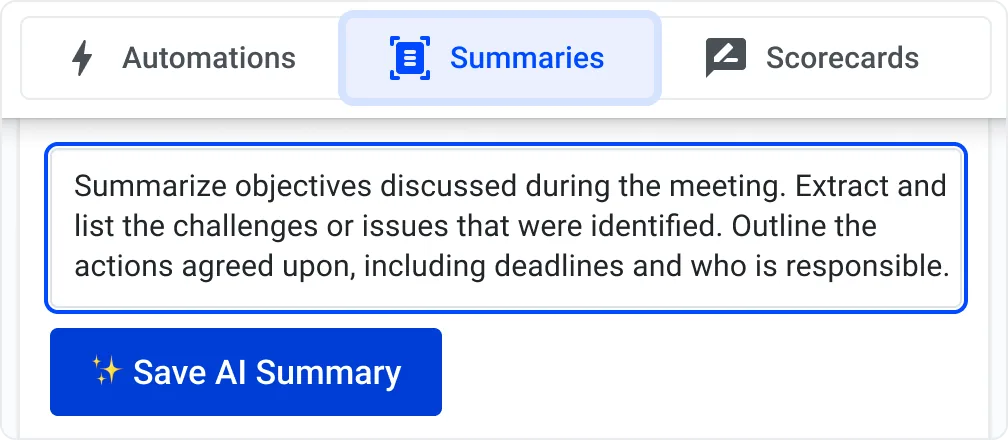
A new Summaries tab gives you an overview of all your custom and default meeting summaries.
- Custom summaries – Fully editable and removable.
- Default summaries – Provided by Demodesk based on best practices (not editable).
- Summary automation – Custom summaries can now be selected directly in summary automations.
- AI Assistant – Request custom summaries through the AI Assistant chat in the recording view.
💡 Tip: Experienced users create custom follow-up email summaries that reflect their writing style and email structure. Best practices.
🔓 Control who sees your meetings
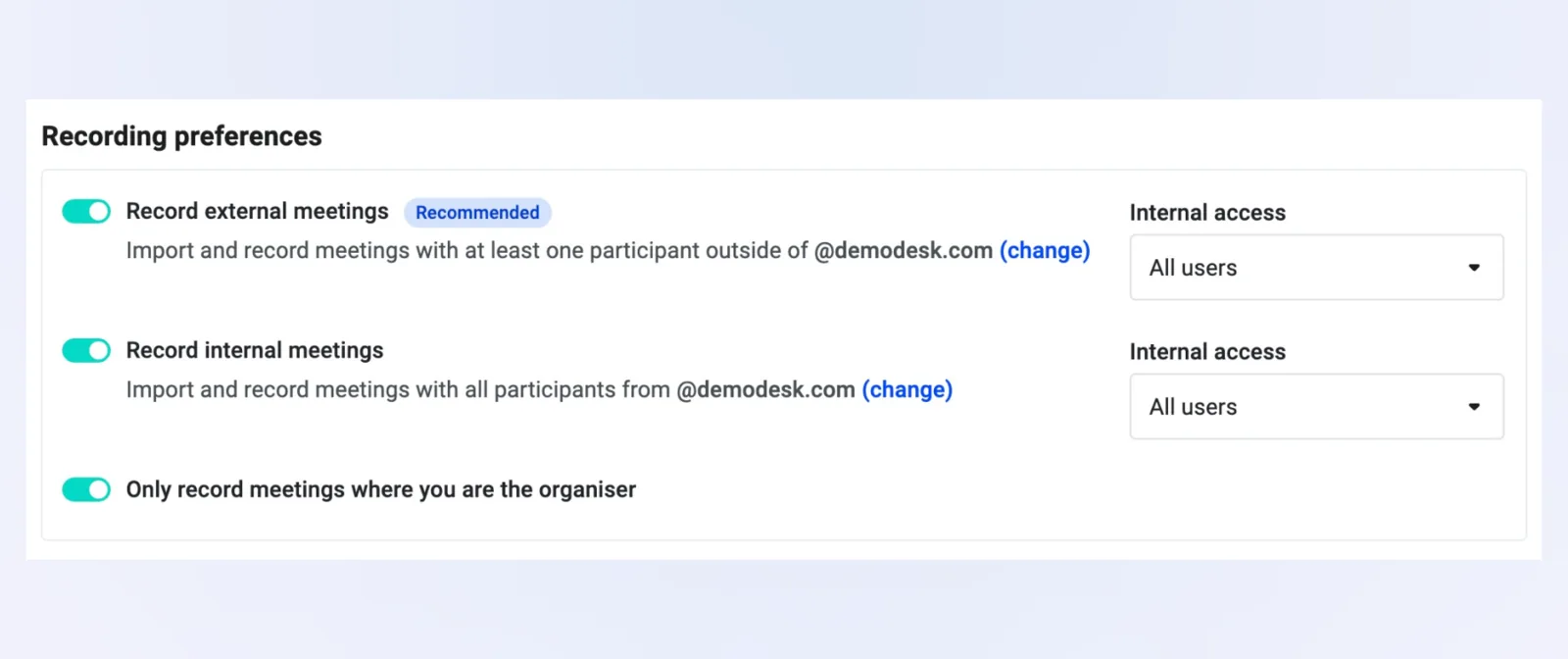
Define default visibility preferences for all your recordings, and still adjust visibility per recording.
- Personalized visibility – Manage recording access at the user level.
- Flexible sharing – Different visibility settings for internal and external meetings.
- Private mode – New "Only me" option for confidential meetings.
Note: "Only me" is available to everyone. User-level preferences and internal/external differentiation are exclusive to the Demodesk Notetaker, included with Coaching & AI.
🤖 Better sales coaching with AI Coach
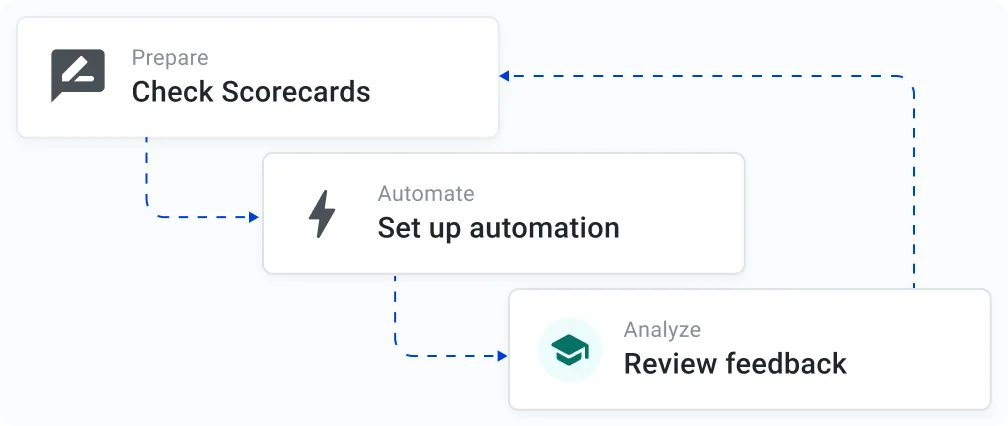
- Enhanced accuracy – Upgraded AI algorithms provide more precise feedback.
- Actionable insights – Clear, practical advice you can apply immediately.
- Automations – Use the right scorecard for each meeting type automatically via scorecard automations (e.g. Discovery vs. Demo).
🗓️ Routing & booking page improvements
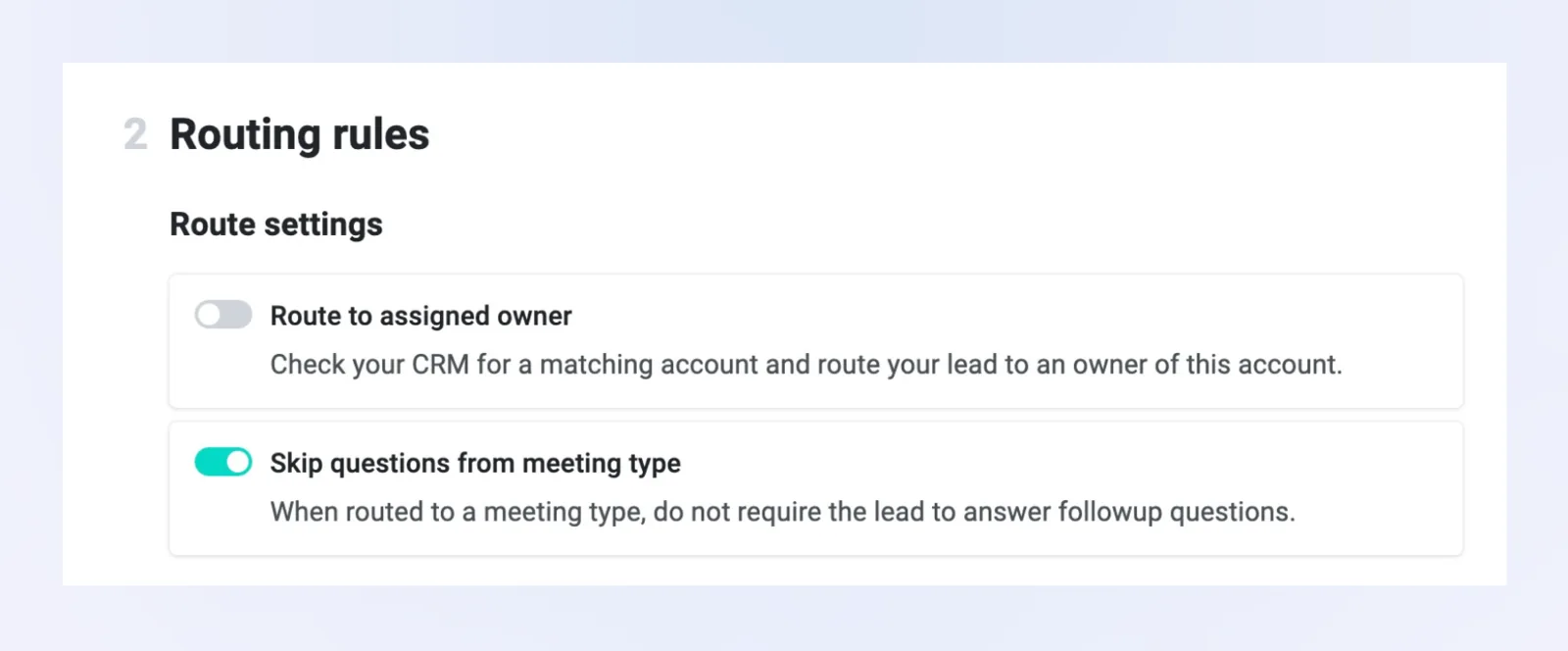
- Skip questions from meeting type – When a meeting type is selected from routing, you can disable its booking questions – no need to duplicate meeting types.
- AutoRoute – If all routing questions are pre-filled, users go straight to time selection and confirmation.
- Slot availability – Booking pages now always show an arrow for more available slots, not just on hover.
🗓️ Meeting type improvements
- Only one booking in advance – New option under "Restrictions" to prevent prospects from booking multiple meetings.
- Reschedule with anyone – Allow meetings to be rescheduled with any available team member instead of the same host.
💯 Sales coaching automations
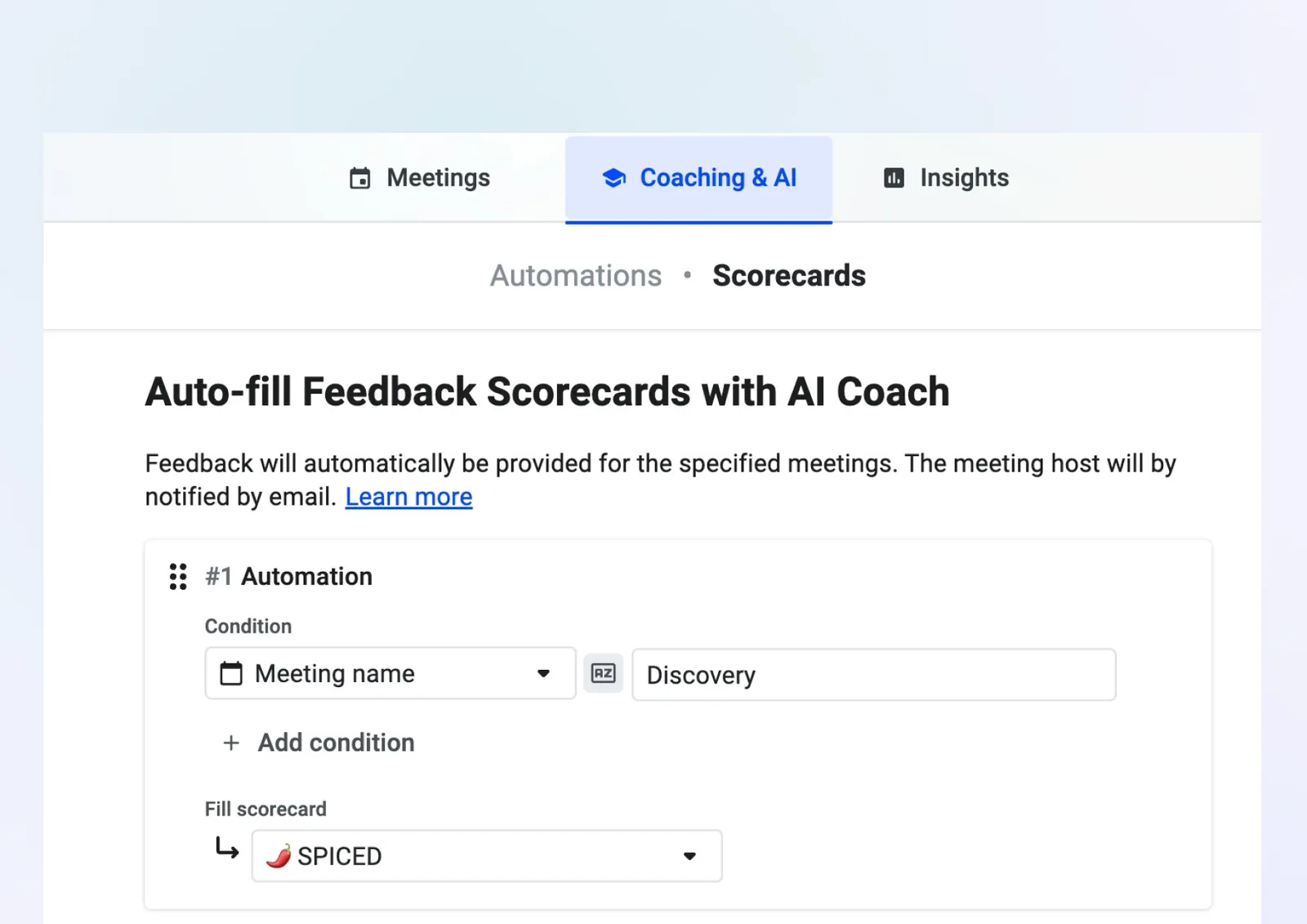
Recommended AI Coach automation rules to get your team up to speed:
- Discovery – Set up a rule like "Meeting name" contains Discovery and use the SPICED scorecard.
- Demo – Use the "Demo" scorecard when "Meeting name" contains Demo.
- Other cases – Use the "General Meeting" scorecard when "Host email" contains your company domain, so all meetings get evaluated.
Coming soon: Sales Coach 2.0 (Q3)

Improved relevance, accuracy, actionability and verifiability – with timestamps and quotes backing up every evaluation.