Troubleshooting and error handling: FAQs and solutions
Updated December 19, 2023
On this page
As an Admin, you'd want to make sure that all sync activity happening on your sales meeting platform are going smoothly. Keeping an eye on the audit logs is a way make sure there isn't any unexpected behaviour that could lead to data loss, should a synch not be working.
Some error messages are pretty self-explanatory, such as "error": "FIELD_CUSTOM_VALIDATION_EXCEPTION: The Country Code cannot be empty.", " error": "FIELD_CUSTOM_VALIDATION_EXCEPTION: Lead Source is mandatory to proceed" and "FIELD_CUSTOM_VALIDATION_EXCEPTION: We detected an opportunity open to this Account. Work on that before opening a new one" }, but some are less clear and may have different causes.
You can filter for errors under Status , and further narrow them down to your CRM of choice under Service:
HubSpot sync errors
Deal could not be created
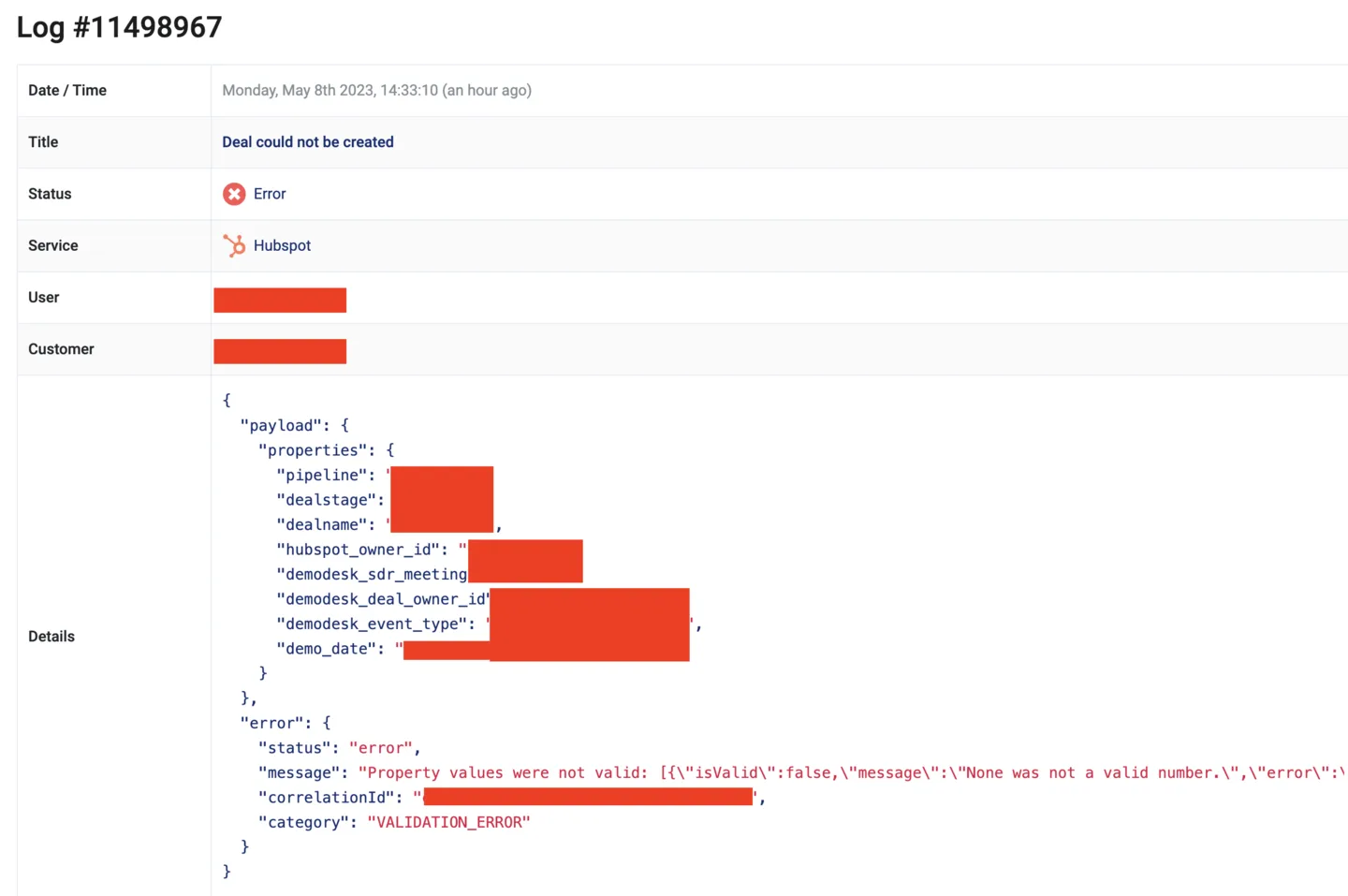
We're most interested in the error message, which has information on why the deal could not be created. Scrolling further to the right reveals the full error message, which is:
"None was not a valid number.\",\"error\":\"INVALID_INTEGER\":

This is because this field only takes integers, and None is not an accepted format.
Solution proposal:
- Check the accepted values in HubSpot, or in your token settings
- Adjust accepted values via your token setup and/or turn on auto sync from CRM:
Meeting could not be updated
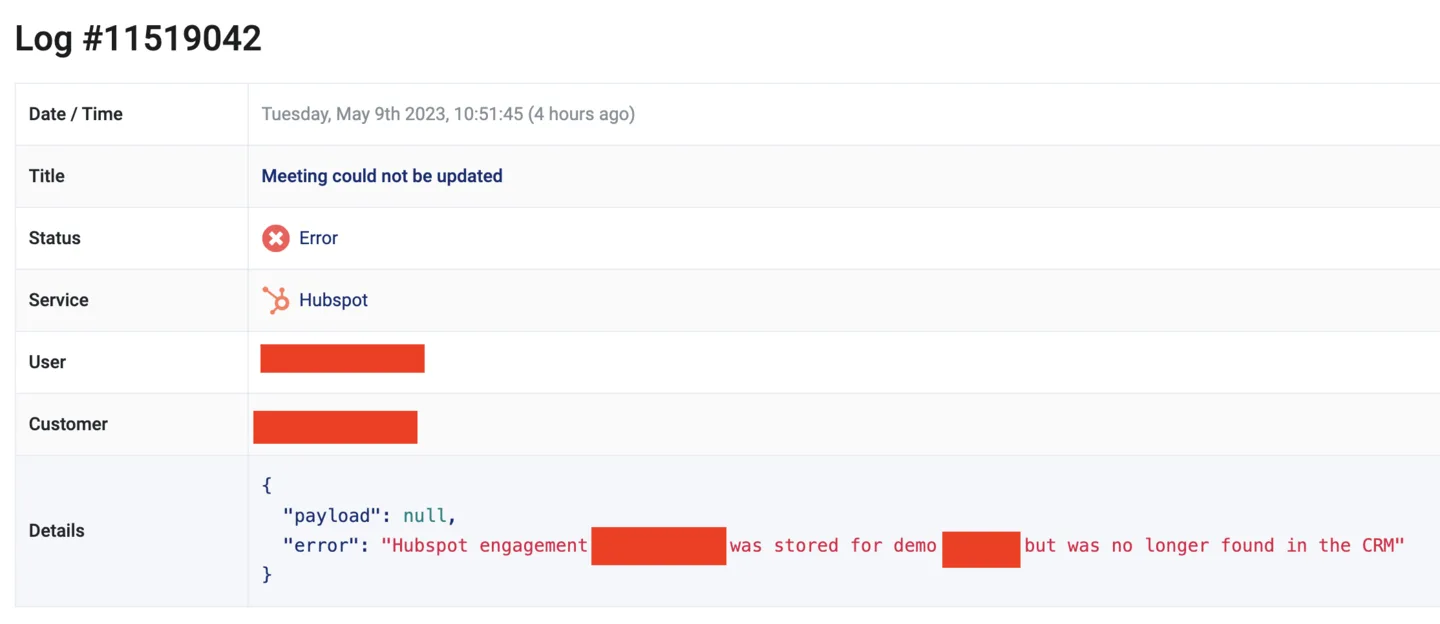
The error message "payload": null, "error": "HubSpot engagement 123456 was stored for demo 987654 but was no longer found in the CRM". most likely means either:
- A meeting is cancelled and the the calendar deletes the engagement in HubSpot, and Demodesk tries to update it later, but is no longer there, or
- The engagement was deleted from HubSpot manually, and the Demodesk sync could no longer find it.
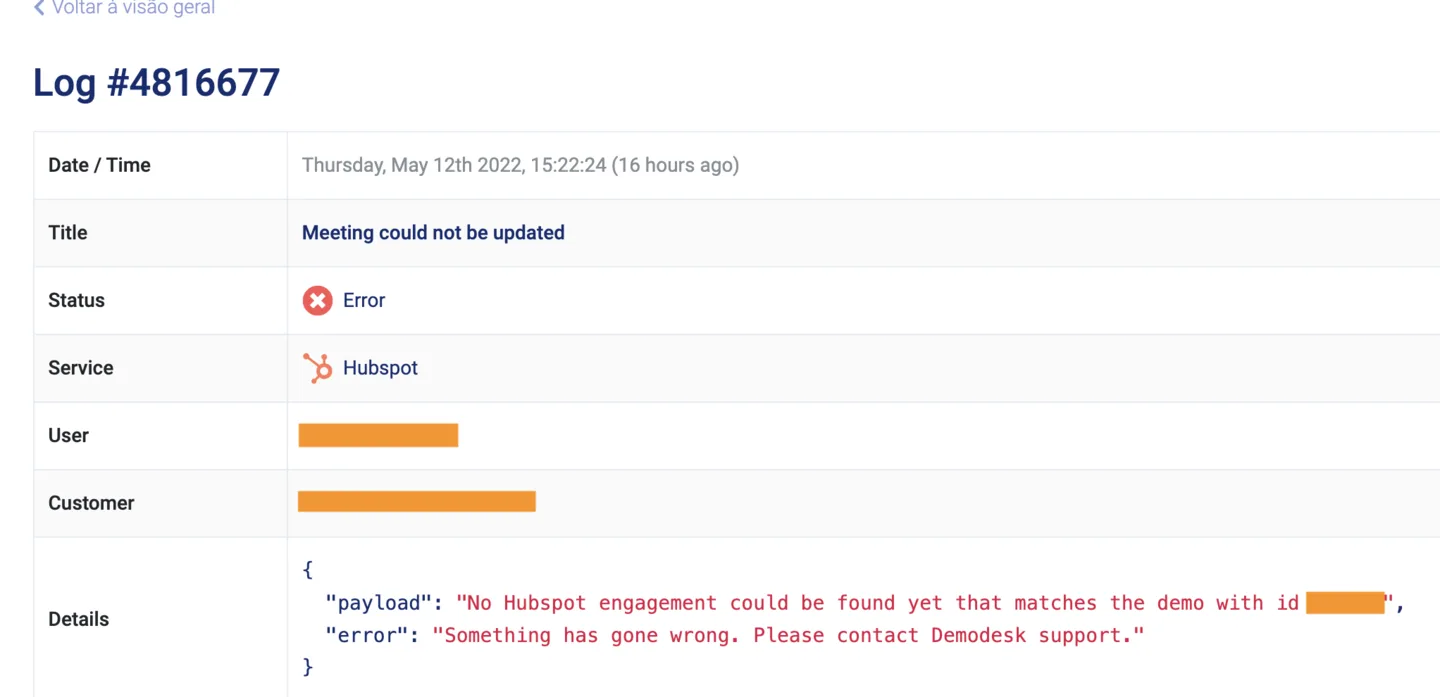
The error message "payload": "No HubSpot engagement could be found yet that matches the demo with id 123456" , "Something has gone wrong. Please contact Demodesk support." most likely means either:
- The meeting was not yet synced from your calendar (Google or Outlook) to HubSpot when we tried to update it or
- The engagement was deleted from HubSpot manually, and the Demodesk sync could no longer find it.
Contact could not be updated
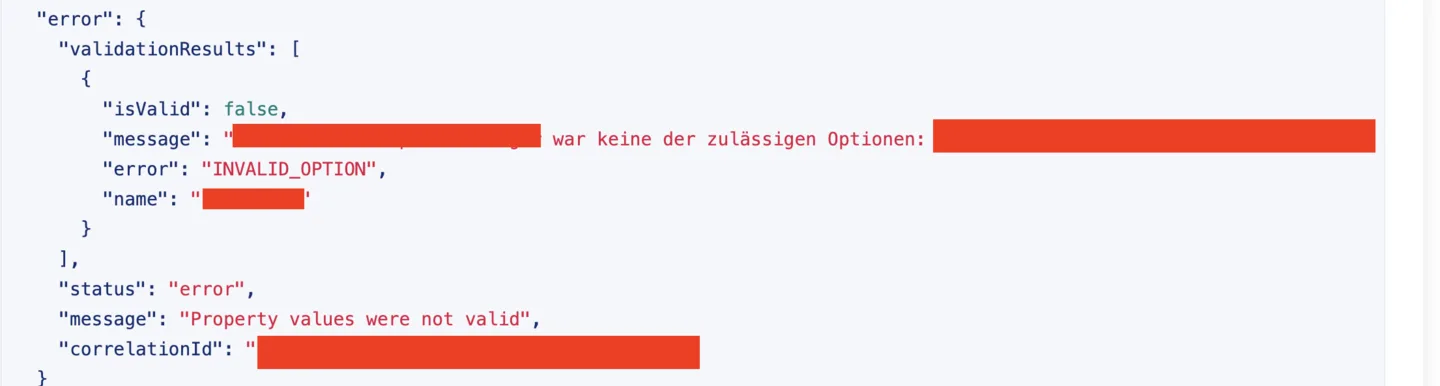
The error message here is "error": { "validationResults": [ { "isValid": false, "message": "XXXXXX war keine der zulässigen Optionen: [label: \"Dr.\"\nvalue: \"Dr.\"\ndisplay_order: 0\ndouble_data: 0.0\nhidden: false\ndescription: \"\"\nread_only: false\n, label: \"Prof. Dr. \"\nvalue: \"Prof. Dr.\"\ndisplay_order: 1\ndouble_data: 0.0\nhidden: false\ndescription: \"\"\nread_only: false\n, label: \"Prof. Dr. Dr.\"\nvalue: \"Prof. Dr. Dr.\"\ndisplay_order: 2\ndouble_data: 0.0\nhidden: false\ndescription: \"\"\nread_only: false\n]", "error": "INVALID_OPTION", "name": "token slug" } ], "status": "error", "message": "Property values were not valid",
This points to a faulty token setup, where e.g. in this particular log- only values such as Dr. and Prof. Dr. are valid, but the user tries to enter other fields that were not accepted.
Salesforce sync errors
Event could not be updated
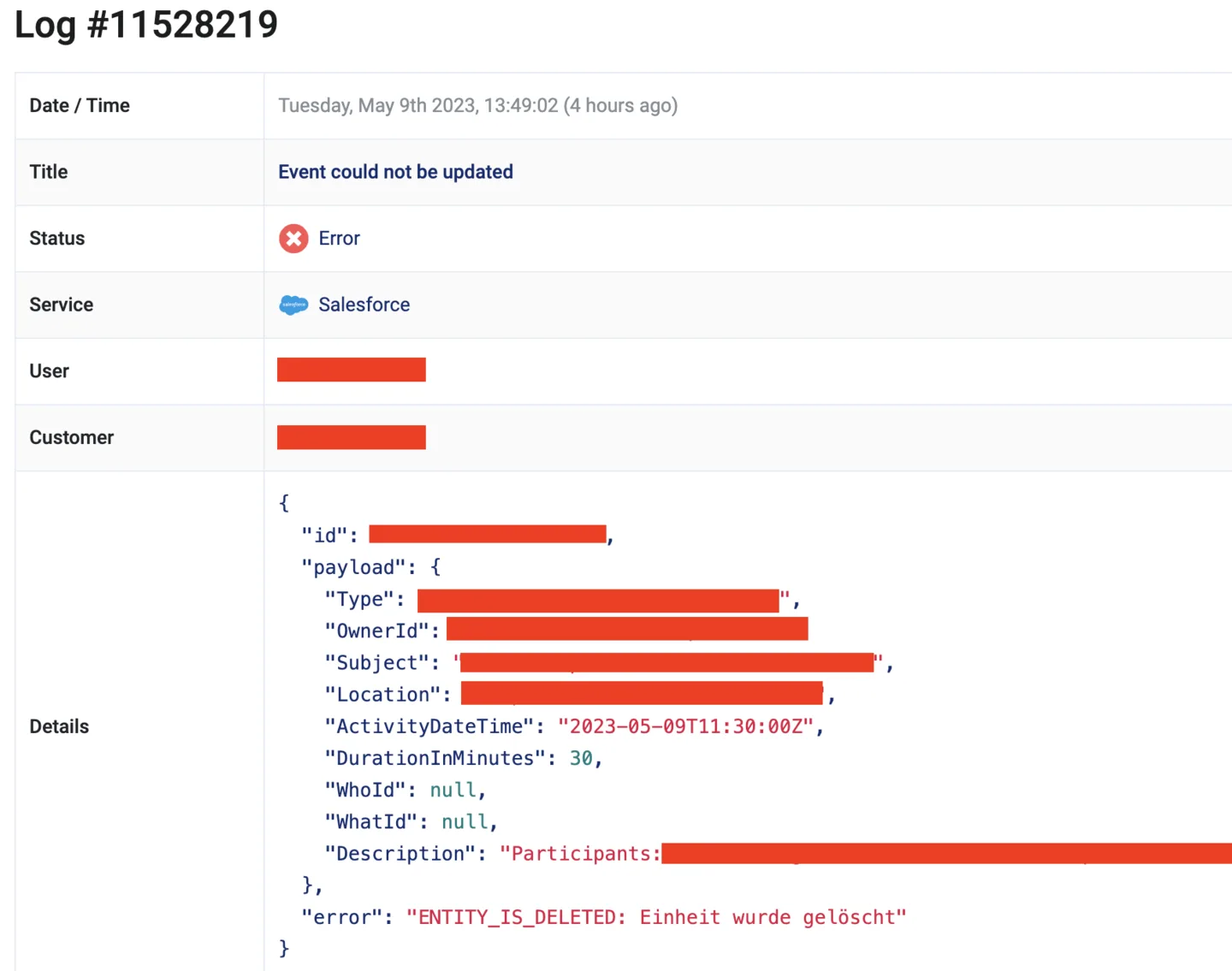
The error message here is "error": "ENTITY_IS_DELETED: Einheit wurde gelöscht", which points to the Salesforce entity being deleted, and hence Demodesk cannot update the corresponding event.
Lead could not be updated
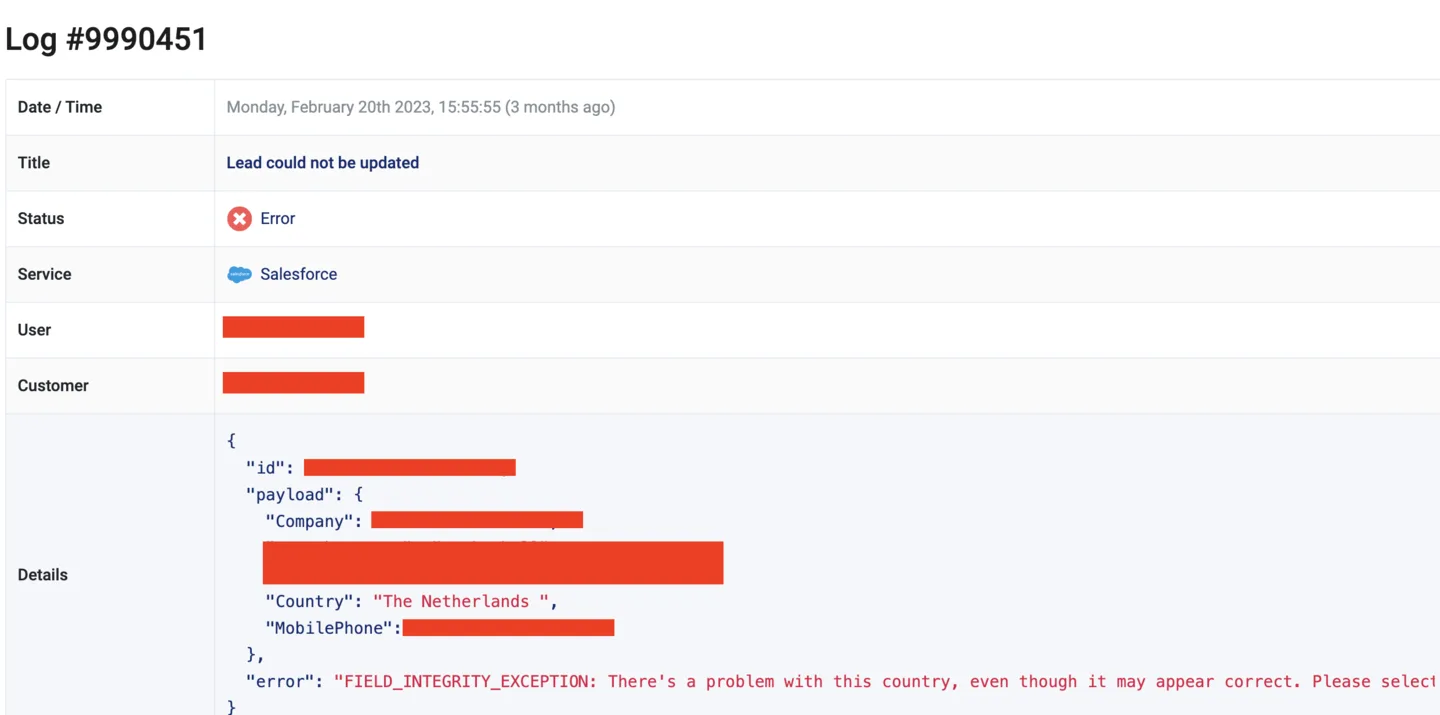
The full error message for this log is "error": "FIELD_INTEGRITY_EXCEPTION: There's a problem with this country, even though it may appear correct. Please select a country/territory from the list of valid countries.: Country" }, which points to a token setup that limits the values accepted, and The Netherlands is not one of them.
Solution proposal:
- Check the accepted values in Salesforce, or in your token settings
- Adjust accepted values via your token setup and/or turn on auto sync from CRM:
Related articles
More in this category
Still need a hand?
Our support team answers in the app chat, or at support@demodesk.com.