Demodesk in Slack, and inside any AI tool
Summaries post to Slack automatically, per-call follow-up prompts, instant recordings with context, and MCP that can act.
Demodesk posts to your Slack channels
Slack is now a connected destination. An admin links the workspace once, and Slack becomes a delivery option on your automation rules – and a destination you can ask the AI Analyst, AI Chat or agents to post to.
Route every matching call summary to #deals, surface deal-insight risk signals in #deal-team, or have an agent drop product feedback into #product-feedback. Learn more
Follow-up prompts for every kind of call
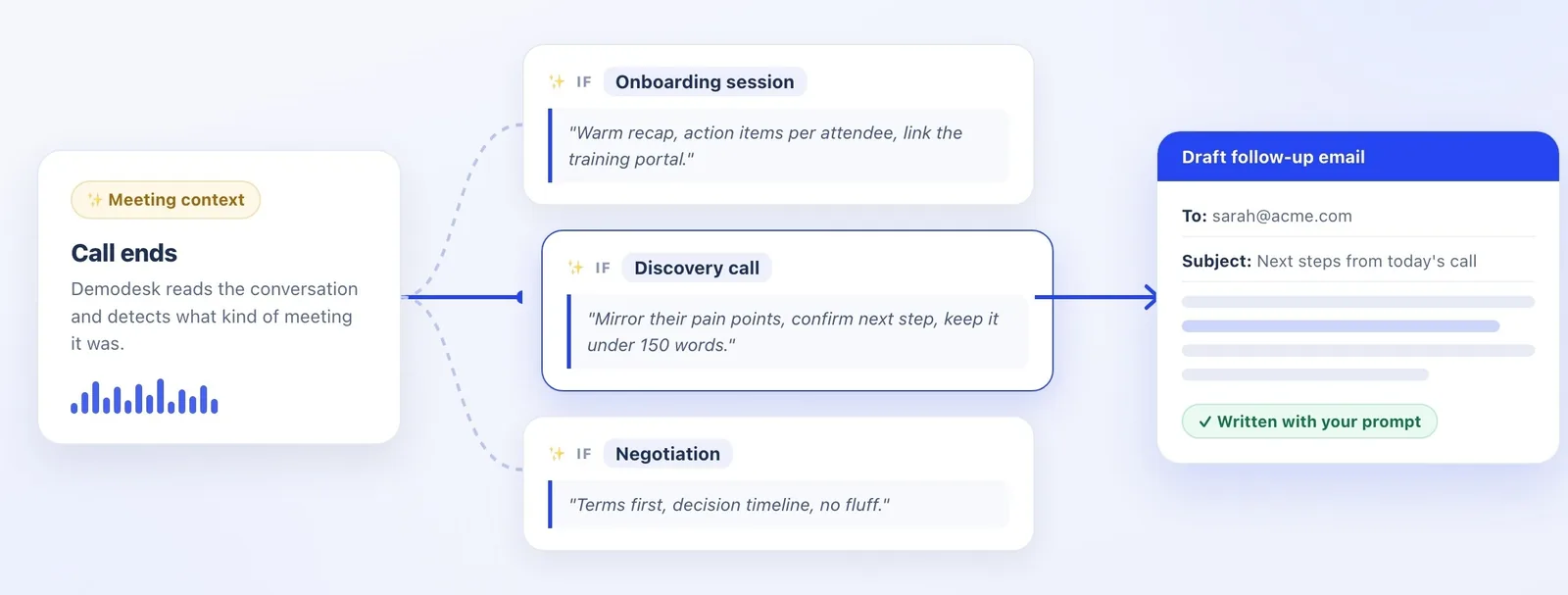
In the Follow-up Email automation, set a different prompt for each kind of call – a warm recap with training links for onboarding, a short terms-first note for negotiations. Demodesk picks the first matching rule after each call and drafts the email for the rep to review; with no match, it falls back to your default.
Instant recordings with meeting context
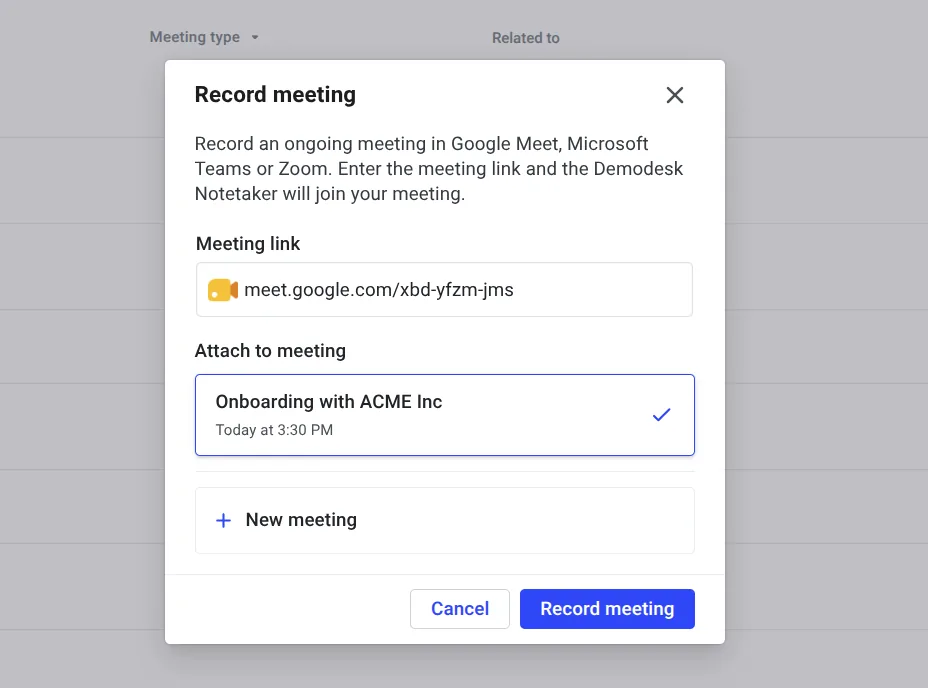
Bot joined late or got removed? Start an instant recording from the Record Meeting modal (here or in the Chrome extension). Paste the meeting link and Demodesk matches it to the calendar event, so the recording inherits the meeting name, participants and CRM context. No match? Create a new meeting and record anyway.
MCP: your AI tool can now act in Demodesk
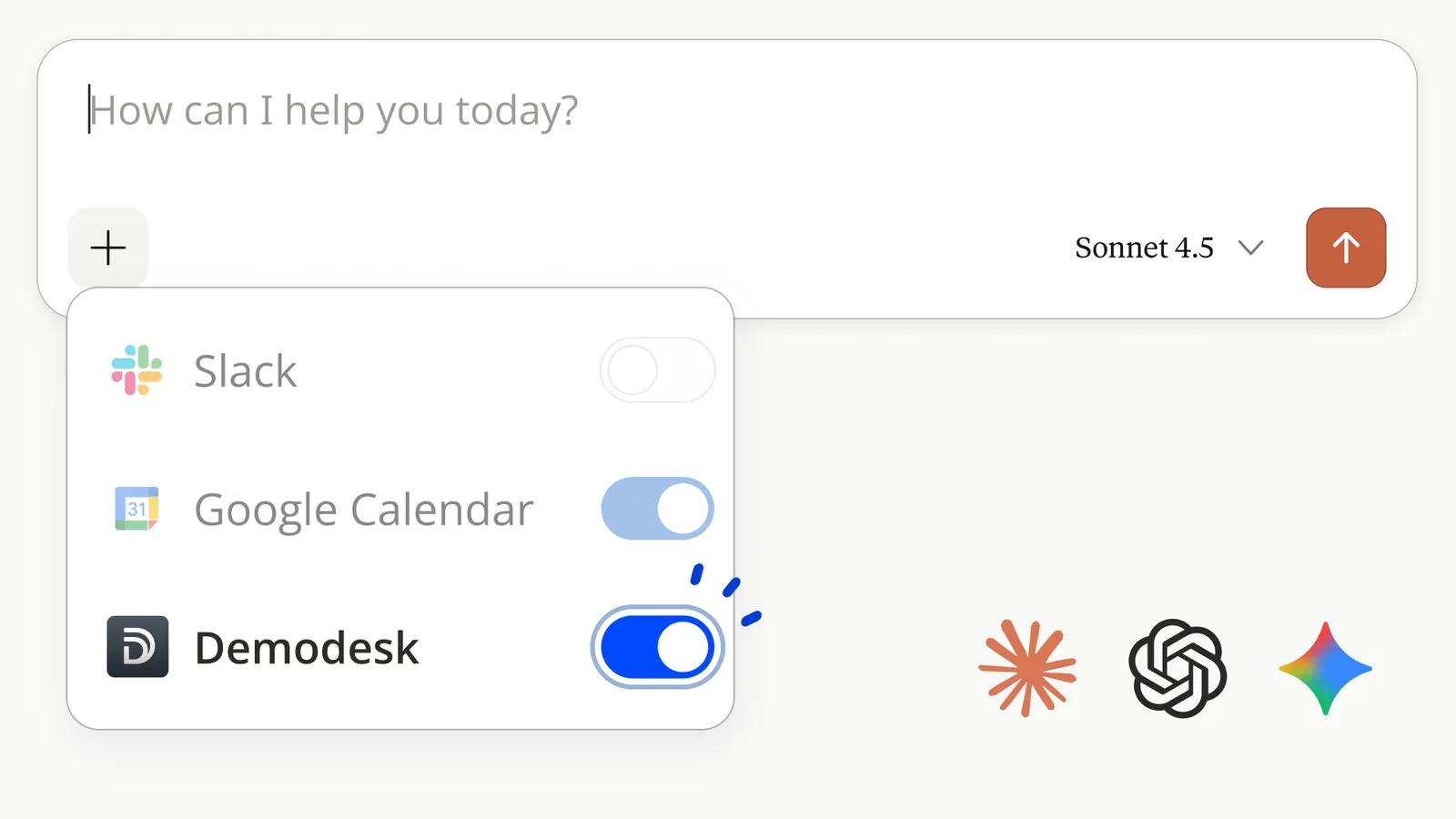
The Demodesk MCP server used to let your AI tool read from Demodesk. Now it can act: from Langdock, Claude, ChatGPT, Gemini or Copilot you can build and run agents, create scorecard templates, search your CRM and deal insights, save reusable prompts, and draft and send follow-up emails. Admins choose which capabilities to expose and can revoke access any time.
Try: "Build a discovery-call scorecard template from our last ten won deals, then score this week's calls against it."
AI Crew: choose your model
Customers ran more than 2,000 agent jobs in the last 90 days; the Monday-morning pipeline report is the favorite. You can now choose which model runs your AI – for yourself or as a company default – and every agent run shows its cost. Manage agents
Further enhancements
- Mobile app – New version with access to the AI Analyst (Google Play · App Store)
- Desktop app – Available here
- CRM Concierge – Further quality improvements when filling out your CRM