All about Battlecards
Updated October 21, 2026
On this page
Have you ever run out of ideas and arguments while fighting back objections during a demo?
Desperately browsing through all your documents to find that winning line has never been an efficient method! Battle Cards are a tool that will prevent you from being defeated in an argument.
Battle cards are concise compilations of information on your product, the market, your customers, and your competition. With this feature, you can create a wiki that you can use during your web demo, and objections will never throw you off again.
These cards can be created upfront, just like your Playbook and Event Types, and can be opened at any time by simply typing a keyword in the search bar in the bottom right corner.
Creating and using Battle cards
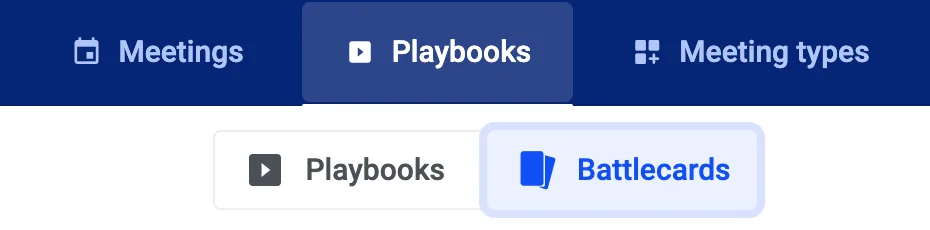
In the Battle cards section, you can create card decks for all different topics (e.g., Objections, Competitors, FAQs), and within these decks, you can create multiple cards. Also, you may want to create team battle card decks (available to your team) or personal ones (available to you only).
Before your demo, make sure to have all the necessary information written in your deck.
During the demo, all you need to do is type the keyword of your card in the box in the right bottom corner, and the card will automatically pop up.
These cards are only visible to you, so your customer will not know where you get all your information from.
Let the AI write and update your battle cards
You do not have to write every card by hand. Ask for it in AI Chat, in the AI Assistant on a recording, or let one of your Agents do it, and the AI can:
- List the decks you have access to and look inside one of them.
- Create a new deck, either a team deck shared with everyone in your company or a personal deck only you see.
- Change, add or remove single cards in a deck that already exists.
- Delete a whole deck together with all of its cards.
A few things worth knowing:
- When the AI changes an existing card, only the parts it was asked to change are touched, and the rest of the card keeps its content.
- If you ask for a new deck and a deck with that name already belongs to the same owner, the AI points you back to the existing deck instead of creating a duplicate, and nothing is changed.
- The AI works with your own access rights. Creating, changing and deleting a team deck stays with company admins and managers, and a personal deck stays with the person it belongs to.
Once a change goes through, it shows up under Battlecards right away, so you can open the deck and edit the cards there like any other card. If the AI cannot carry a request out, for example when you are not allowed to change a team deck, it tells you so in its answer and nothing is changed. An AI tool connected to Demodesk can do the same, see Demodesk MCP.
Battle cards Best Practices
To set up effective battle cards, you need to create an in-depth analysis of your customer and competitors — not just the information posted on their websites or a three-sentence description of who you think they are.
Let’s suppose you are pitching your product to a new lead. The latter, however, is not sure how you stand out from the competition and starts naming all sorts of competitors. With the Battle cards, you will be able to handle all objections like a pro: type in the keyword, quickly refresh your mind and easily present all possible arguments that will make you win over the competition.
At Demodesk, we believe that a good framework for creating battle cards should include:
- Marketplace conditions
- Target customers, markets, and opportunities
- Product features
- Competitor analysis
- Customer and segment-specific propositions
- Objection management
- Golden questions
- Success stories/benefits
- Additional information
Ready for Battle
As your product changes, new competitors come on the scene, and existing competitors change their products or offers, your battle cards will need to change as well. Set your teams up for success by spending some time on battle card creation, and give them the tools to handle questions and objections effectively.
Related articles
Still need a hand?
Our support team answers in the app chat, or at support@demodesk.com.