Firefox
Updated February 1, 2022
- Click the Padlock icon on the left of the address bar
- Enable Autoplay to Allow Audio and Video
- Enable Autoplay, Camera, and Microphone.
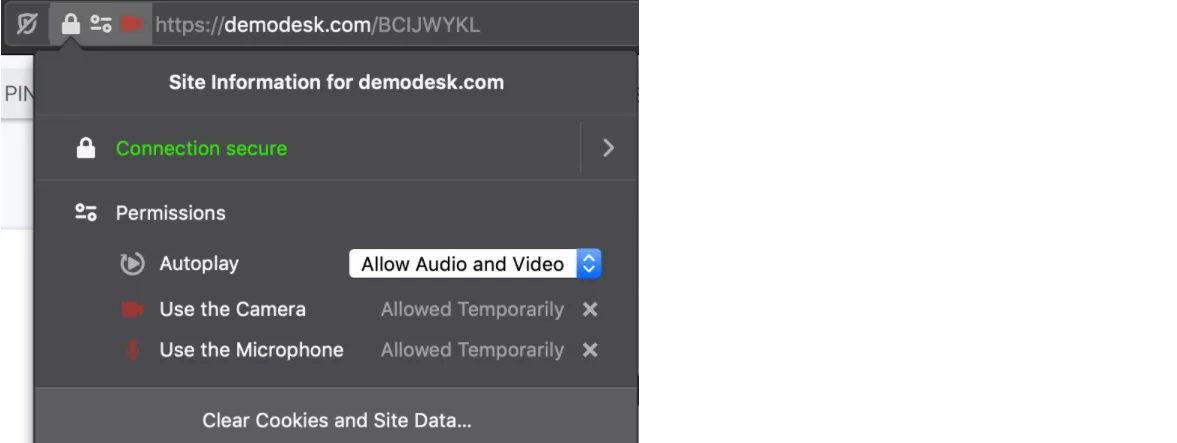
If it doesn't pop up, open your Firefox preferences, go to Privacy & Security and scroll down to Permissions. Make sure that it allows Demodesk to access your Camera and Microphone:
If this does not solve it, then probably your system is blocking permissions. Go here to solve it.
Related articles
More in this category
Still need a hand?
Our support team answers in the app chat, or at support@demodesk.com.