How to hand over a meeting to a coworker
Updated October 19, 2023
In Demodesk, you can hand over a meeting to a coworker. They will then become the host of the meeting.
- Users can hand over their own meetings or the ones they scheduled
- Admins can hand over all meetings
This is how it works
- Go to Meetings
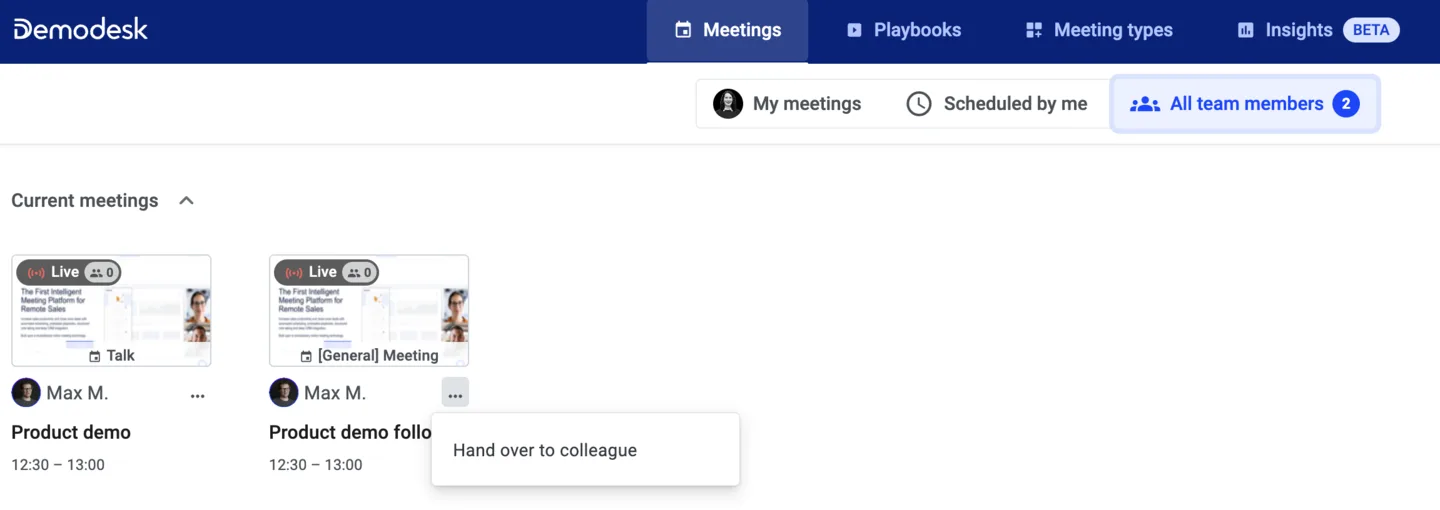
- Click on the three buttons on the right and select Hand over to colleague
- Select the New meeting host
- Optional: Update the title and the description of the calendar event via Edit. The calendar event (i.e. title, location, description) will be updated with the new host's information where host tokens are used.
You can also hand over running meetings from your colleagues, just go to All team members, Current meetings:
In order to save you some time, we recommend a new host based on your meeting type settings and your team's availability. This recommendation follows our Round Robin assignment logic. You can always choose a different teammate.
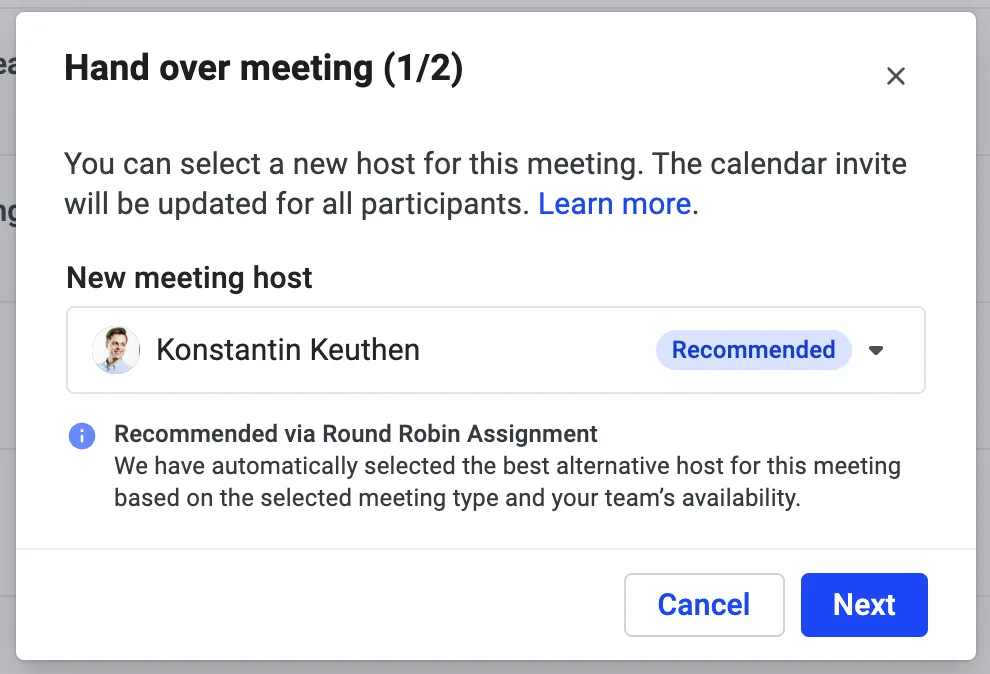
In the teammates dropdown we show:
- which teammates are available and not available at the respective time
- why teammates are not available (you can see the meeting name and whether it is a personal blocker, an internal meeting or an external meeting)
You can overbook your teammates' calendars. Demodesk will show an overbooking warning in this case.
Once the handover is complete, the meeting will be removed from your Google calendar, freeing up the respective time slot. Simultaneously, the equivalent time slot on your coworker's calendar will be blocked.
If you use Outlook Calendar, the handed over event will stay in your calendar but the slot will free up. This is due to Outlook limitations. Please make sure you do not delete the event or you will delete it for everyone.
Your coworker will receive a handover notification mail. Meeting participants will not be notified if they are Google Calendar users; their calendar event will silently be updated. If the meeting participants use other calendar providers, they will receive a notification of the update.
Please note that you cannot hand over Demodesk meetings if the original host has already joined the meeting. In that case, please contact the original host to leave the meeting and then hand over the meeting. Make sure that the host closes the tab and does not end the meeting since ended meetings cannot be handed over.
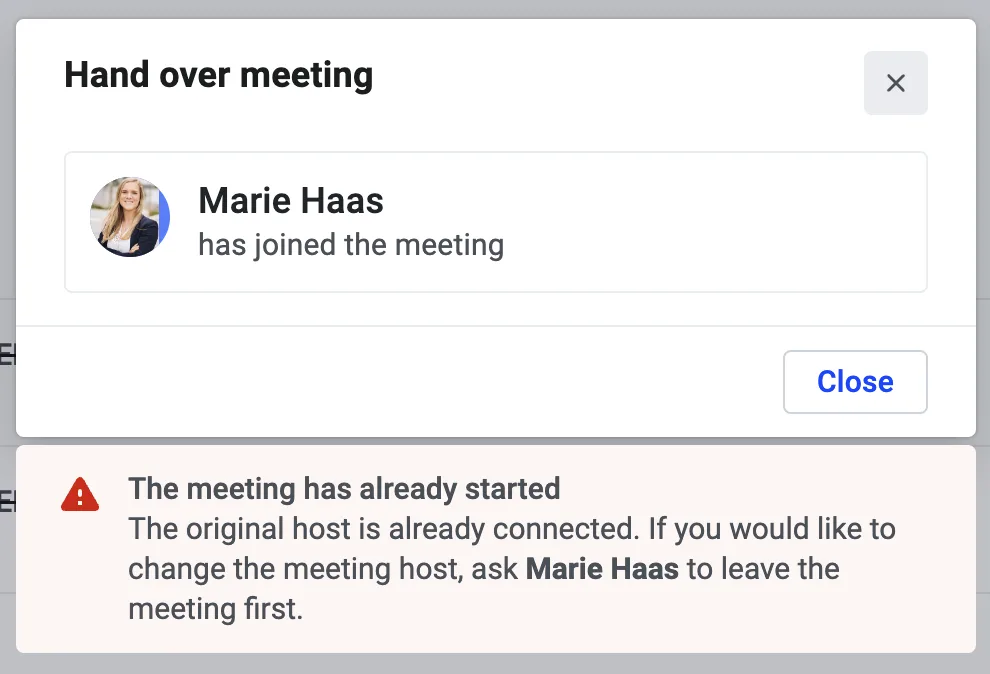
Can I hand over a meeting that was already started by the host?
Yes, If a meeting was already opened by the host and should be handed over, the host should close the tab. Once the tab is closed, the meeting can be handed over without any impact for the guest. Please note the previously inserted notes will be carried on to the next host so that they can add to it and ultimately successfully sync it. If the current host clicks "end meeting" the meeting will be ended for the host and guest, which should be avoided.
Related articles
More in this category
Still need a hand?
Our support team answers in the app chat, or at support@demodesk.com.