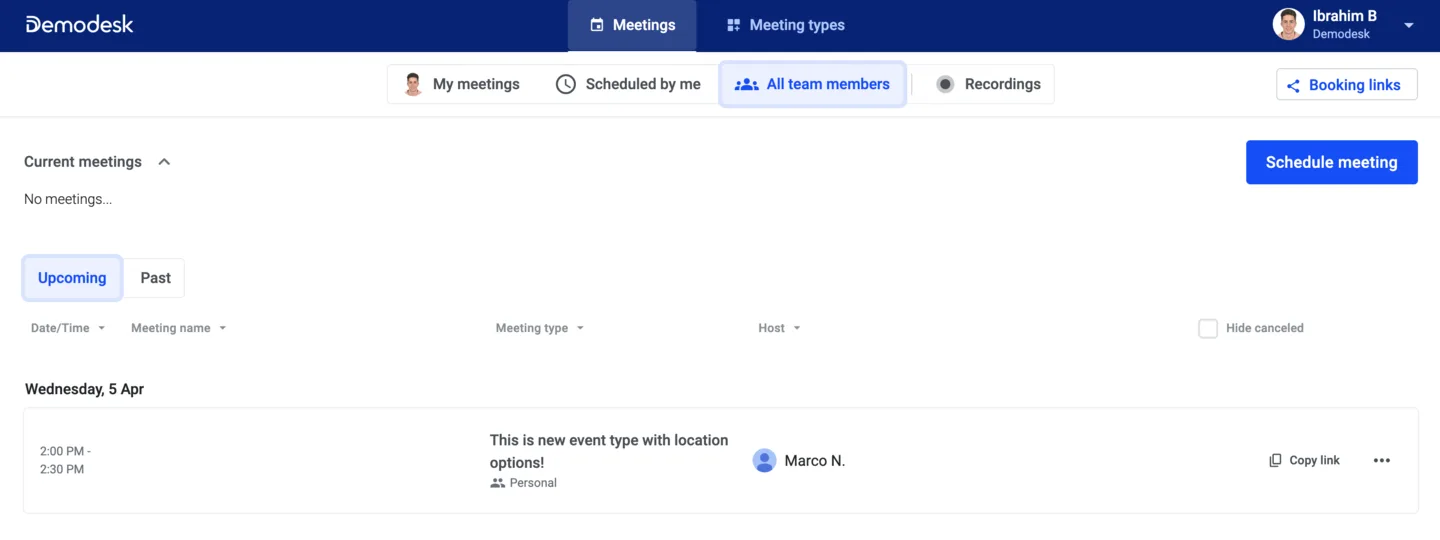
Upon accessing the Demodesk dashboard via this link, the primary page displayed is illustrated in the image below. This page specifically pertains to the meetings section, where the default view is the sub-page displaying all meetings created by every member of your team including yourself.
Should you wish to display meetings to which you've been invited or ones you've scheduled, click the "My meetings" button. To exclusively view meetings that you've scheduled, choose the "Scheduled by me" sub-page. Furthermore, within each of these subsections, you have the option to apply filters to showcase specific meetings. These filters encompass date and time, meeting name, meeting type, host, and the ability to conceal canceled meetings.
In general, in this section the main functions you can perform are:
- Find all your team members past and upcoming meetings
- Click "Schedule meeting" to get to our powerful Demodesk Scheduler where you can schedule meetings for you and your colleagues; find more information here
- Check out running meetings and shadow meetings whenever you want; more information can be found here
🆕 In addition, for an improved coaching experience, we offer the recordings sub-page, where all meetings with available recordings are presented. This allows you to effortlessly access and review meeting recordings. As depicted in the image below, you can utilise filters in a manner similar to the other sub-pages to refine the displayed meetings.
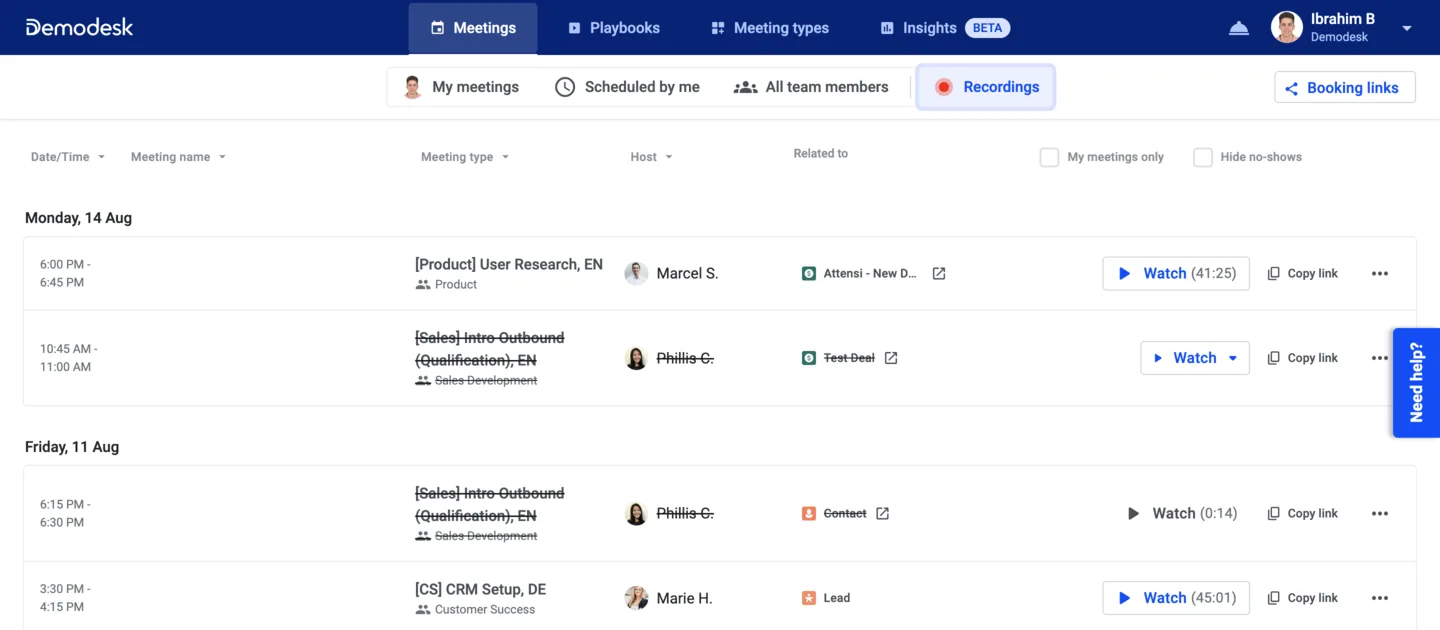
⚡Pro Tip: By utilising the recording page, you have the ability to apply filters to isolate meetings associated with a specific host. This enables you to efficiently review all their meetings using Demodesk CI, identifying recurring or unique strengths and weaknesses.