Coaching & AI: Admin & Manager Guide
Updated July 28, 2026
On this page
Onboarding Checklist
Download our detailed onboarding checklist to help you successfully set up Demodesk for your team. The checklist covers key steps and best practices to ensure a smooth and efficient rollout.
Demodesk's Coaching & AI (short: CI) offers smart automation, insightful analytics, and effective coaching to boost your teams performance. This guide helps you as an admin to set up the CI modules properly.
Core Benefits
| Function | Benefits |
|---|---|
| AI Analyst | 1. AI-powered search across all meetings (read more) 2. Uncover patterns, trends & coaching insights |
| Automatic CRM Sync | 1. Seamless CRM Automation & Deal Updates 2. Reduced Administrative Workload |
| AI Agents | 1. Automate recurring workflows, analyze meeting and CRM information, and trigger follow-up actions. |
| AI Coaching & Scorecards | 1. Automated AI feedback, custom and manual scorecards, contextual comments, and recording bookmarks—all included in Coaching & AI. |
| Transcription & AI Summaries | 1. Custom Summaries 2. AI Assistant Chat |
| Insights & Analytics | 1. Actionable, Data-Driven Insights 2. Deeper, More Effective Coaching |
| Demodesk Notetaker | 1. Records meetings across platforms (Google Meet, Teams, Zoom) 2. Integrates data into a single dashboard |
Coaching & AI - General Settings
Coaching & AI - Setup & Usage from an Admin's and Manager's Perspective
Coaching & AI: Best Practices
Explore detailed best practices for each AI feature used in coaching and performance management:
Best Practices Guide: AI Analyst
Best Practices Guide: AI Scorecards
Best Practices Guide: AI Summaries
Best Practices Guide: AI CRM Concierge
Best Practices Guide: AI Reports
Best Practices Guide: AI Agents
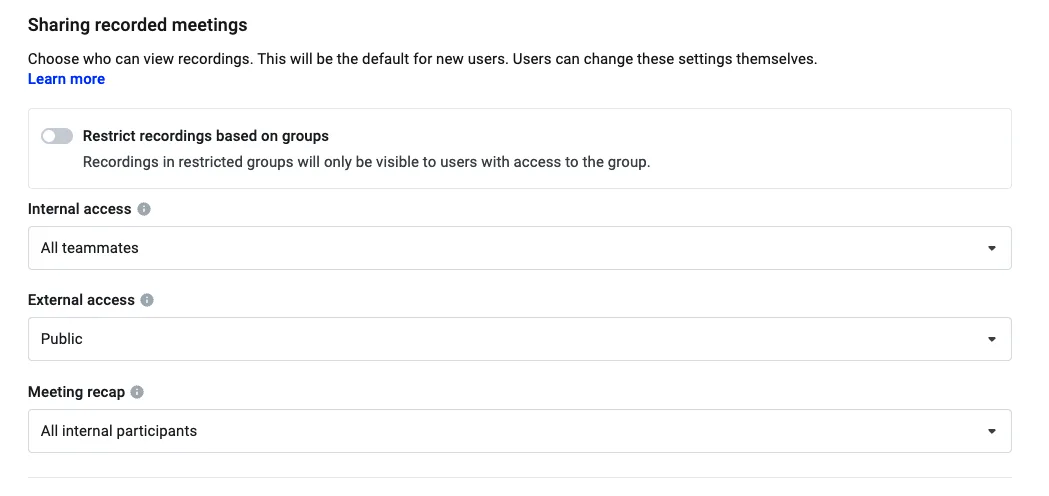
1. Settings & Permissions
2. Auto CRM Sync
3. Setup
ℹ️ Note on summary variations: AI summaries are generated fresh each time. Small wording differences between runs are normal — the model rewrites the full summary to keep it coherent, which can lead to slight variations even if only one section was changed. Each generation is brand new; previous summaries are not reused.
4. Data & Insights
The Demodesk Coaching & AI Insights Dashboard is crucial for managers and leaders, providing a comprehensive view of team performance metrics and trends:
- Track Performance: monitor sales strategy effectiveness and team productivity.
- Identify Improvements: pinpoint areas for enhancement to boost efficiency
- Make Data-Driven Decisions: utilize insights to inform strategies for better business outcomes.
📖 Want to get the most out of your data? Check out our AI Analyst Best Practices Guide.
ℹ️ Access your Demodesk Insights Dashboard here and read more about it here.
The Demodesk Insights Dashboard is your Place-To-Be as a manager or leader.
5. Next Up: User Onboarding
After nailing down the essentials and setup, it's time to welcome aboard and brief your team. You can invite your Teammates here and you can directly forward them this User Guide.
Key Takeaways
- Recording Permissions & Notetaker: Customize recording access and set up custom vocabulary for accurate AI transcriptions.
- AI Automation, Summary & Transcripts: Automate AI summaries and transcripts to streamline meeting analysis.
- Scorecards & AI Coach Activation: Create customized scorecards and activate the AI Coach for detailed feedback on sales interactions.
- CRM Integrations & Sync: Sync with Salesforce, HubSpot, and Pipedrive to automatically update CRM records post-meetings, enhancing data accuracy.
- Dashboard and Analytics: Utilize the dashboard for team metrics, conduct keyword searches for data analysis, and manage recordings for coaching decisions.
Related articles
Still need a hand?
Our support team answers in the app chat, or at support@demodesk.com.